


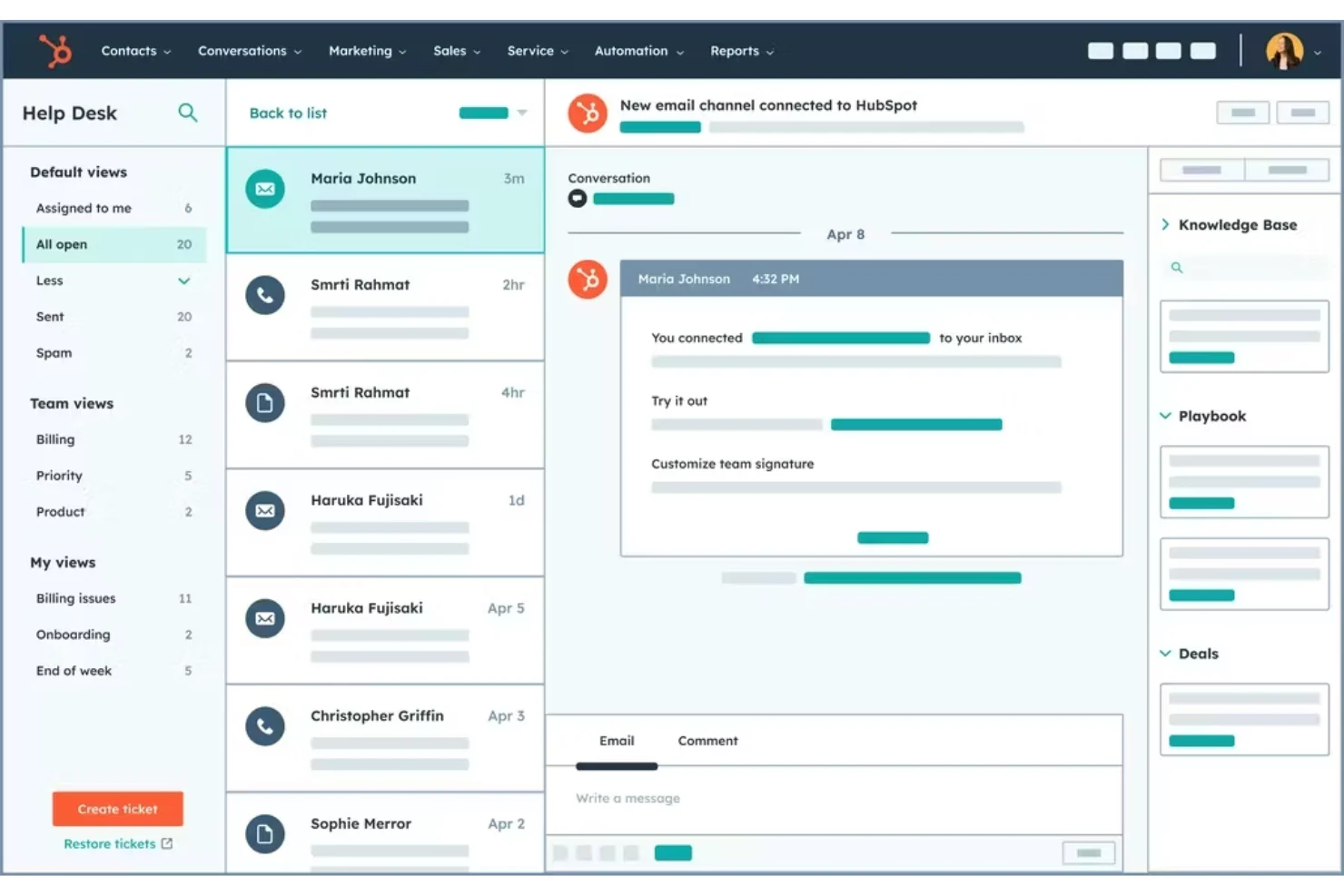
What Is HubSpot CRM?
HubSpot CRM is a customer relationship management platform designed to help businesses organize their contacts, manage sales activities, track customer interactions, and build stronger relationships. Instead of keeping customer information scattered across spreadsheets, emails, notes, and different applications, a CRM brings those details together in one central place. HubSpot has become particularly popular because it combines useful CRM features with an interface that is relatively easy for beginners to understand.
At its core, HubSpot CRM helps businesses keep track of who their customers are and where they are in the buying journey. A sales representative can see contact information, previous conversations, meetings, emails, deals, and other relevant activities from a centralized record. This makes it easier to understand the history of a relationship before reaching out to a prospect or customer.
Another important aspect of HubSpot CRM is its flexibility. It can be useful for freelancers, startups, small companies, marketing teams, sales departments, and larger organizations. Businesses can start with basic CRM functions and gradually introduce more advanced tools as their processes become more sophisticated. This makes the platform appealing to companies that do not want to build an overly complicated system from day one.
Why Businesses Use HubSpot CRM
One of the biggest reasons businesses choose a CRM is to create better organization. When customer information is stored in multiple places, important details can easily be forgotten. A CRM provides a structured environment where teams can record contacts, companies, communication history, sales opportunities, and follow-up activities. This creates a clearer picture of every customer relationship.
HubSpot CRM can also help sales teams become more consistent. Rather than relying entirely on memory, sales representatives can use tasks, reminders, deal stages, and activity records to keep track of what needs to happen next. This is particularly helpful when a business is managing dozens or even hundreds of potential customers at the same time.
There is also a collaboration advantage. When several people interact with the same customer, everyone needs access to accurate information. A shared CRM can reduce confusion by giving authorized team members visibility into customer interactions and sales activity. Instead of asking a colleague for an update every time a customer is discussed, team members can refer to the relevant CRM record.
Key Features of HubSpot CRM
HubSpot CRM offers a range of tools for organizing and managing customer relationships. Contact management is one of its fundamental features. Businesses can create records for leads, customers, and companies while maintaining information about their interactions. These records can become a useful reference point throughout the customer lifecycle.
Deal and pipeline management is another important feature. Sales teams can create deals and move them through different stages according to their sales process. A visual pipeline makes it easier to understand which opportunities are new, which are progressing, and which may require additional attention. Managers can also use pipeline information to identify potential bottlenecks.
HubSpot also provides tools for tracking activities such as calls, emails, meetings, and tasks. Keeping these activities connected to customer records helps salespeople understand the history of a relationship. Over time, this information can make customer communication more relevant because representatives have more context before starting a conversation.
HubSpot CRM for Sales Teams
For sales teams, a well-organized CRM can make daily work considerably easier. Instead of beginning each morning by searching through emails and spreadsheets, sales representatives can use their CRM to review open deals, upcoming tasks, and customer activity. This can help them prioritize opportunities and spend more time actually communicating with prospects.
The sales pipeline is especially useful because it provides a visual representation of opportunities. A business might have stages such as new lead, contacted, qualified, proposal, negotiation, and closed. The exact structure can be customized according to the company’s sales process. This allows managers and representatives to see where opportunities are getting stuck.
Another advantage is improved follow-up. Many potential sales are lost not because the customer was uninterested, but because the business failed to follow up at the right time. By recording tasks and planned activities, sales representatives can create a more reliable follow-up process. This does not replace good sales skills, but it can reduce avoidable mistakes.
HubSpot CRM for Marketing Teams
Although CRM is strongly associated with sales, customer information is also valuable for marketing teams. Marketing professionals need to understand their audiences, identify promising leads, and measure how prospects interact with a business. A centralized customer database can provide useful context for these activities.
When marketing and sales teams work from connected information, communication can become more consistent. Marketing may generate leads while sales qualifies and follows up with them. Without a shared system, information can become fragmented between departments. A CRM can help create a smoother transition between marketing activity and sales conversations.
HubSpot’s broader ecosystem also includes marketing-related capabilities, allowing businesses to connect customer relationship data with different types of marketing activity. This can be useful for companies that want to manage more of the customer journey within one technology environment rather than constantly moving information between unrelated platforms.
HubSpot CRM for Small Businesses
Small businesses often have limited time, staff, and resources, so complicated software can become a burden. One reason HubSpot CRM attracts smaller companies is that it can provide useful CRM functionality without requiring a large technical team to manage the basic setup. A small business can begin with simple contact and deal management before expanding its processes.
For a growing company, organization becomes increasingly important. A business might start with a few customers and a simple spreadsheet, but that approach can become difficult to maintain as the customer base grows. Important conversations may become buried in inboxes, follow-ups can be missed, and different employees may maintain separate versions of customer information.
Using a CRM from an earlier stage can help establish better habits. Businesses can define how leads are recorded, how deals are managed, and how customer interactions are documented. These processes may seem unnecessary when a company is small, but they can save significant time as the organization expands.
How HubSpot CRM Can Improve Customer Relationships
A CRM is not simply a database. Its real value comes from helping businesses understand and manage relationships more effectively. When customer information is organized, employees can spend less time looking for basic details and more time having useful conversations with customers.
Personalization can also improve when representatives have access to relevant interaction history. For example, knowing what a customer previously asked about can make a follow-up conversation feel more informed. Customers generally do not want to repeat the same information every time they speak with a different person at a company.
A CRM can also encourage better internal communication. If a customer interacts with sales, support, and account management, each department may need access to relevant information. When teams have a shared source of customer data, the overall experience can become more consistent and professional.
Automation and Productivity in HubSpot CRM
Automation is another area where CRM software can save time. Businesses often perform repetitive administrative tasks every day, such as assigning leads, creating reminders, updating records, or sending routine communications. Where appropriate, automation can reduce the amount of manual work involved in these processes.
The important point is that automation should support a business process rather than replace thoughtful decision-making. Automating a poorly designed process will not necessarily improve results. Businesses should first understand how their teams work and then identify repetitive tasks that can be handled more efficiently.
For sales representatives, even small productivity improvements can have a meaningful impact. If a CRM reduces the time spent updating spreadsheets or searching for customer information, employees can dedicate more attention to prospecting, meetings, negotiations, and customer service.
Reporting and Business Insights
Good business decisions depend on reliable information. HubSpot CRM can help teams monitor sales activity, deal progress, customer information, and other business data. Reporting tools can turn this information into insights that managers can use to evaluate performance and identify areas that need attention.
For example, a sales manager may want to know how many opportunities are currently in the pipeline, how quickly deals move between stages, or where potential customers are dropping out of the process. These insights can help the company determine whether its sales strategy is working effectively.
Reporting is also useful for planning. Rather than relying entirely on intuition, managers can examine available data to identify patterns and trends. However, CRM reports are only as useful as the information entered into the system. Consistent data management remains essential for producing meaningful results.
Common Mistakes When Using HubSpot CRM
One common mistake is trying to configure everything at once. Businesses sometimes become excited about the number of available features and create an overly complicated system. This can make the CRM difficult for employees to use. A better approach is to start with the processes that matter most and expand gradually.
Another mistake is treating the CRM as an administrative obligation instead of a business tool. If employees only update records because management tells them to, the information may quickly become incomplete. Teams are more likely to maintain accurate records when they understand how the CRM makes their own work easier.
Poor data quality can also reduce the value of any CRM. Duplicate contacts, outdated information, inconsistent fields, and missing details can create confusion. Businesses should establish simple rules for entering and maintaining data so that the CRM remains reliable over time.
Is HubSpot CRM Worth Using?
For many businesses, HubSpot CRM can be a practical choice because it combines customer management, sales organization, communication tracking, and broader business tools within one ecosystem. Its usefulness ultimately depends on the company’s requirements, team size, sales process, and willingness to maintain accurate information.
The platform is particularly appealing to organizations that want to centralize customer information without immediately building a highly complicated technology stack. Small businesses can use it to create structured sales processes, while growing organizations can introduce additional capabilities as their needs develop.
However, choosing a CRM should never be based only on popularity. Businesses should consider their budget, required features, integrations, reporting needs, team workflows, and future growth. The best CRM is the one employees will actually use consistently and that supports the company’s real-world processes.
Final Thoughts on HubSpot CRM
HubSpot CRM is more than a place to store customer names and email addresses. When implemented properly, it can become a central part of how a business manages leads, sales opportunities, customer communication, and long-term relationships. Its greatest benefit comes from creating a reliable system that keeps teams organized and informed.
The platform can be especially useful for businesses that are moving away from scattered spreadsheets and disconnected tools. By bringing customer information and sales activity into a centralized environment, teams can gain better visibility into their work and reduce some of the administrative friction that comes with growth.
Ultimately, successful CRM usage is about process as much as software. HubSpot can provide the technology, but businesses still need clear workflows, accurate data, regular follow-ups, and employees who understand how to use the system effectively. When those elements come together, HubSpot CRM can become a valuable foundation for building stronger customer relationships and supporting sustainable business growth.